"...Victory at all costs, Victory in spite of all terror, Victory - however long and hard the road may be; for without Victory, there is no survival..." - Sir Winston S. Churchill to the House of Commons after the surrender of the French to the Germans in WWII |
Official Page of McKinley Trojan Alliance
|
|
Opting Into War Tutorial
-
Step One: Build Your Command Post
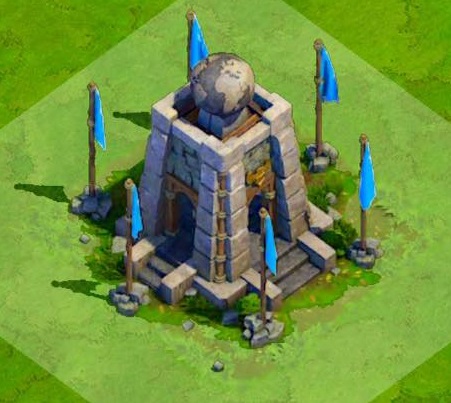 Level 1 Command Post |
You CAN NOT Opt in for War until you build your Command Post. Fortunately, to build a
Level 1 Command Post only costs 70k Food, requires 4 Citizens, and is instantaneous. It will have 1,950 Hit Points (without any
Technology Bonuses) and is able to store 225k Gold and Food, 500 Oil (only available in Enlightenment Age and beyond) as
well as 600 Rubies.
It will be able to store more Loot and Rubies as it is upgraded. When War is completed, you
will be able to retrieve your War Loot from the Command Post by clicking on it and hitting the "Collect" Button.
|
If your Command Post is storing more Loot and Rubies in it than your Markets, Mills and Alliance Gate are able
to store, the remainder will stay in the Command Post for disbursement at a later time. Rubies are disbursed to and stored in the Alliance Gate and CAN NOT
be stolen once there!
Any War Loot stored in the Command Post is actually safer there than in your Mills and Markets, as raids on your town can steal about
a quarter of loot stored in Mills and Markets, but about an eighth stored in the Command Post, plus it must be destroyed.
Rubies can be Traded with Marco Polo for Resources, Chests, Armies, Blessings, etc. when he visits your Town.
-
Step Two: Opt in for WAR!
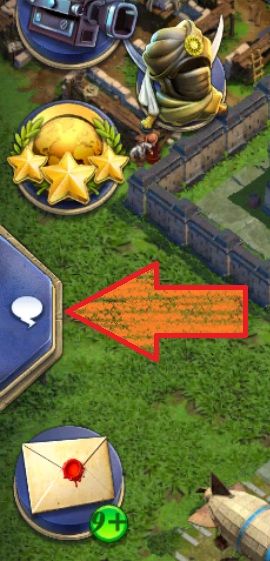 |
Begin by Selecting the Chat Window on the left of your screen...
|
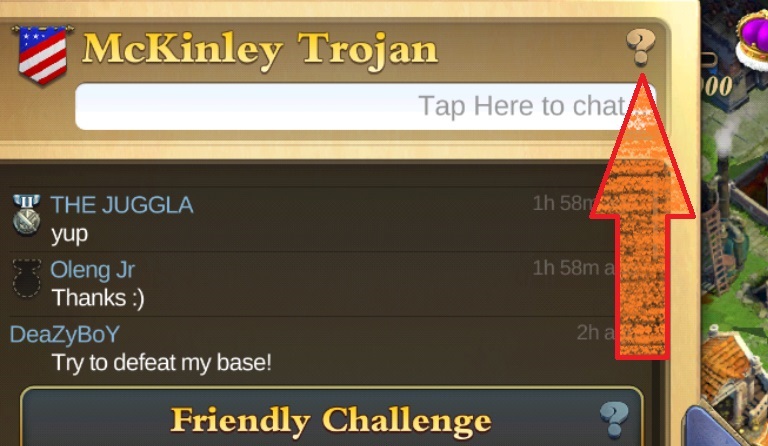 |
...then Select the ? at the top right of the Chat WIndow...
|
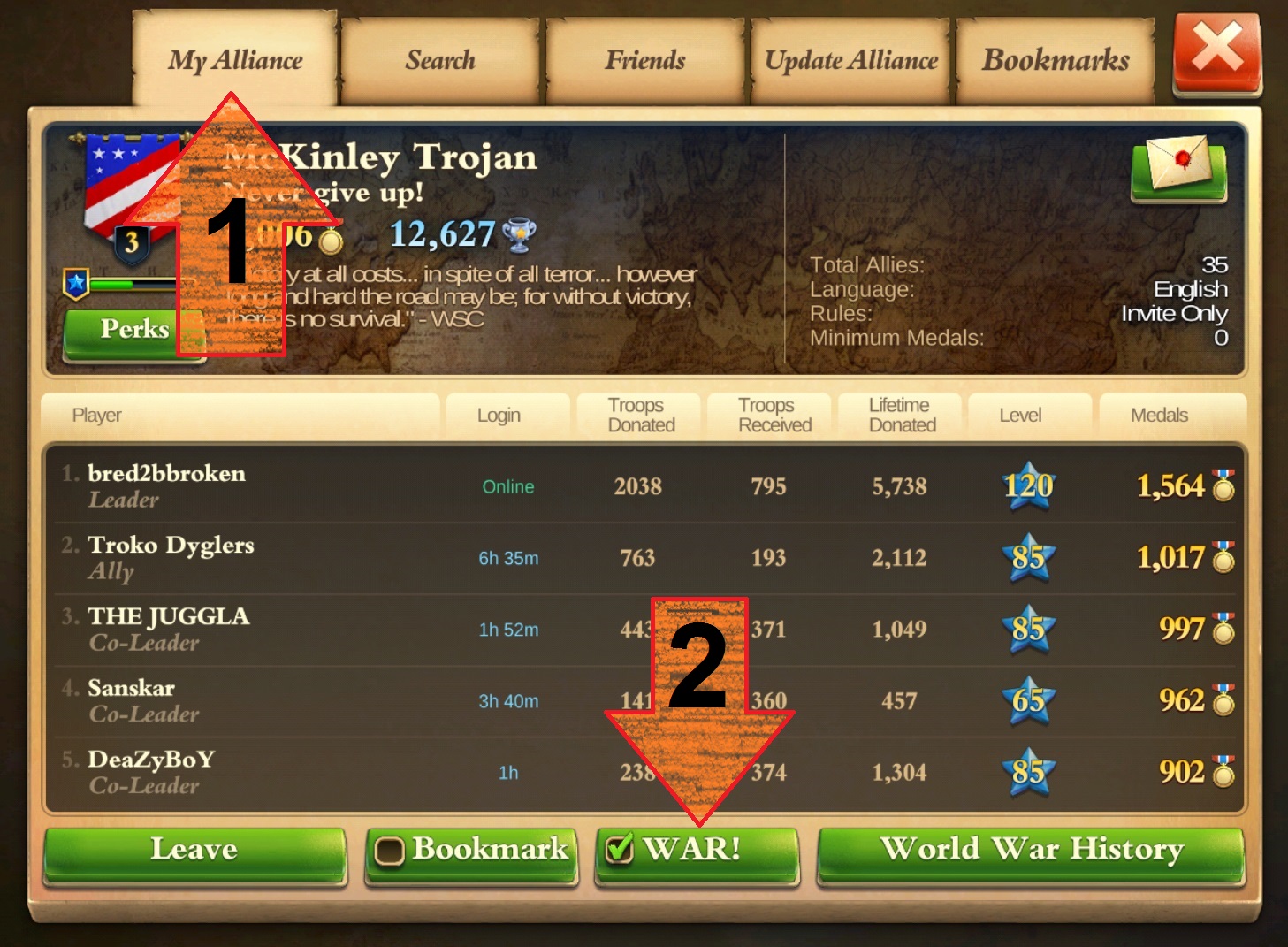 |
...then Select the Alliance Tab at the top, then click the War! Button at the bottom... The
Checkmark will show and the Button will be Green instead of Red.
|
|
©2018 by ΔΠΣ - "bred" for dominations.bred2bbroken.com |
|
